Microsoft Excel is one of the most widely used applications in business, education, and professional environments. From organizing information and performing calculations to analyzing data and preparing reports, Excel plays an important role in everyday work.
Yet many people use only a small portion of its capabilities.
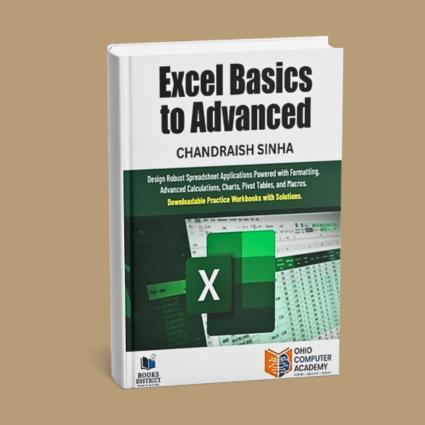
Excel Basics to Advanced is a comprehensive, hands-on guide designed to help readers develop their Excel skills progressively, beginning with fundamental concepts and advancing toward more sophisticated calculations, data analysis techniques, and automation.
The book combines clear explanations with step-by-step exercises and downloadable practice workbooks, allowing readers to apply what they learn and develop confidence in using Excel.
Whether you are new to spreadsheets or looking to strengthen your existing knowledge, this book provides a structured approach to becoming more proficient and productive with Microsoft Excel.
Why I Wrote This Book
Throughout my experience in technology education and professional training, I have worked with individuals who use Microsoft Excel in very different ways.
Some are just beginning to learn how spreadsheets work. Others have used Excel for years but are familiar with only a limited set of features.
I have often observed that people can perform routine tasks in Excel without fully understanding the capabilities that could make their work more efficient.
For example, a task that requires several manual steps might be completed with a formula, a PivotTable, or a simple macro. Yet without the right knowledge, users may continue following time-consuming methods because those are the approaches they already know.
These observations influenced my approach to writing this book.
I wanted to create a practical resource that would help readers build their knowledge systematically, starting with essential concepts and gradually introducing more advanced techniques.
My objective was not simply to explain Excel features, but to demonstrate how they can be applied to everyday spreadsheet tasks.
I also wanted readers to have opportunities to practice independently. That is why the book includes step-by-step exercises, downloadable practice workbooks, and solutions to support the learning process.
My hope was to create a resource that readers could use both to learn Excel and to revisit specific concepts whenever they encountered a new challenge.
What You’ll Learn
The book takes readers through Excel concepts progressively, from basic spreadsheet operations to advanced calculations, analysis, and automation.
What Makes This Book Practical?
The central approach of Excel Basics to Advanced is to help readers develop skills through understanding and practice.
Rather than treating Excel as a collection of unrelated commands, the book introduces concepts in a logical sequence and demonstrates how they can be applied to practical tasks.
Readers will find:
- Step-by-step exercises that demonstrate Excel concepts and techniques.
- Downloadable practice workbooks for hands-on learning.
- Solutions that allow readers to review and verify their work.
- Coverage of both fundamental and advanced Excel functions.
- Practical techniques for organizing, calculating, and analyzing data.
- Detailed introductions to PivotTables, charts, and Excel Tables.
- Guidance on recording macros and making basic changes to VBA code.
- A progressive learning structure suitable for independent study and instructor-led training.
The downloadable workbooks are an important part of the learning experience, allowing readers to follow examples, practice techniques, and develop confidence in applying Excel features independently.
Who Should Read This Book?
Excel Basics to Advanced is intended for anyone who wants to improve their ability to work with spreadsheets, perform calculations, analyze information, and use Excel more effectively.
It may be particularly useful for:
- Students developing essential spreadsheet skills.
- Working professionals who use Excel for everyday business activities.
- Administrative and operations staff responsible for reports, records, and data management.
- Business analysts who want to strengthen their Excel calculation and analysis skills.
- Business owners who use spreadsheets to manage information and support decisions.
- Individuals preparing for roles that require Excel proficiency.
- Experienced Excel users looking to expand their knowledge of advanced functions, PivotTables, and macros.
No prior advanced Excel knowledge is required. The book begins with fundamental concepts and gradually introduces more sophisticated techniques.
A Final Thought
Excel is much more than a tool for entering information into rows and columns.
When used effectively, it can help organize complex information, simplify calculations, identify patterns, automate repetitive work, and support better decision-making.
However, becoming proficient in Excel is not about memorizing every function or feature. It is about understanding what the application can do and knowing how to apply the appropriate tools to solve a problem.
My hope is that this book helps readers move beyond routine spreadsheet activities and discover more effective ways to work with information.
Learning Excel is not simply about knowing more functions. It is about developing the ability to use those functions to solve problems, improve processes, and work more efficiently.