Tableau offers a wide range of features for connecting to data, analyzing information, and creating interactive visualizations. However, understanding when and how to use these features can sometimes be challenging, particularly for beginners.
What is the difference between TWB and TWBX files? How do TDS and TDSX files work? What is a TDE file, and when should it be used?
These are examples of the practical questions that Tableau users encounter while learning and working with the software.
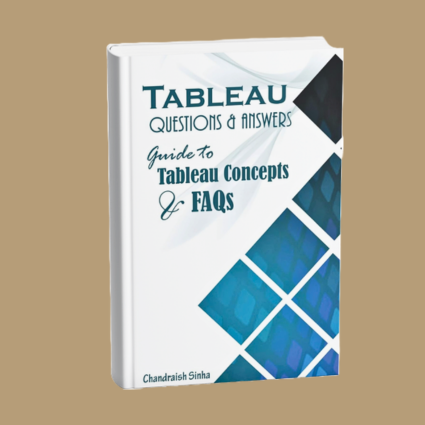
Tableau Questions & Answers: Guide to Tableau Concepts and FAQs provides a structured approach to understanding Tableau through an easy-to-follow question-and-answer format.
The book addresses more than 100 questions covering Tableau concepts, features, and practical applications. Rather than focusing only on definitions, it introduces different scenarios and explains which Tableau features may be appropriate in each situation.
Readers can reinforce their understanding through practical exercises and an accompanying solution workbook.
Whether you are learning Tableau for the first time or looking for a convenient reference to clarify specific concepts, this book provides an accessible way to strengthen your knowledge.
Why I Wrote This Book
Throughout my experience teaching Tableau and working with data analytics professionals, I have observed that learners often understand how to perform a particular task but may not fully understand the concepts behind it.
For example, someone may know how to save a Tableau workbook but may not understand the difference between a TWB and a TWBX file.
Similarly, a learner may know how to connect to a data source but may be uncertain about the different file formats Tableau uses or which feature is most appropriate for a particular analytical requirement.
These questions frequently arise during training sessions and practical exercises.
I wanted to create a resource that would address such questions directly, using explanations that are easy to understand and apply.
Rather than organizing the material exclusively around software features, I chose a question-and-answer format that allows readers to focus on specific concepts and practical situations.
My objective was to help readers understand not only what a Tableau feature does, but also when and why it might be useful.
I also wanted to encourage active learning. That is why the book includes exercises and an accompanying solution workbook, allowing readers to practice concepts and examine solutions.
The result is a practical reference designed to complement structured Tableau learning and help readers build confidence in using the software.
What You’ll Learn
The book uses more than 100 questions and answers to explain Tableau concepts and their practical applications.
What Makes This Book Practical?
The distinguishing feature of Tableau Questions & Answers is its focus on explaining Tableau through questions that users may encounter while learning or working with the software.
Instead of requiring readers to study every topic sequentially, the question-and-answer structure makes it possible to explore individual concepts as needed.
Readers will find:
- More than 100 questions and answers covering Tableau concepts and features.
- Easy-to-understand explanations of Tableau terminology.
- Practical discussions of Tableau file formats and their uses.
- Scenario-based explanations of when to use different Tableau features.
- Hands-on exercises to reinforce learning.
- An accompanying solution workbook for practice and review.
- A reference format that supports both structured learning and topic-specific revision.
The combination of questions, scenarios, and exercises encourages readers to move beyond memorizing definitions and develop a better understanding of how Tableau works.
Learning Through Questions and Scenarios
One of the challenges in learning analytical software is understanding which feature to use in a particular situation.
Knowing that a feature exists is only the beginning. Applying it effectively requires an understanding of its purpose and how it relates to the task at hand.
This book approaches that challenge through practical questions and scenarios.
By exploring different situations and considering the appropriate Tableau functionality, readers can develop a more useful understanding of the software.
The question-and-answer format also makes the book suitable for revisiting concepts after completing formal training or while working on Tableau exercises.sic reporting and explore more sophisticated approaches to data analysis and visualization.
Who Should Read This Book?
Tableau Questions & Answers: Guide to Tableau Concepts and FAQs is intended for readers who want to strengthen their understanding of Tableau concepts through clear explanations and practical examples.
It may be particularly useful for:
- Beginners who want to understand Tableau terminology and fundamental concepts.
- Students learning Tableau as part of data analytics or business intelligence studies.
- Data analysts who want a convenient reference for Tableau questions.
- Business professionals beginning to work with Tableau.
- IT professionals exploring data visualization and analytics tools.
- Tableau learners who prefer a question-and-answer approach.
- Professionals who want to reinforce their knowledge through exercises and practical scenarios.
The book can be used as a supplementary learning resource alongside Tableau training or as a reference for reviewing individual concepts.
Version note: The book discusses legacy Tableau file formats, including TDE. Readers using newer Tableau versions should be aware that certain file formats and software capabilities have changed over time.do not need extensive prior experience with Tableau.No prior Tableau experience is required. Basic familiarity with Microsoft Excel can be helpful.
A Final Thought
Learning a technology tool is not simply about remembering the steps required to perform a task.
A deeper understanding comes from asking questions, exploring alternatives, and recognizing why a particular approach is appropriate.
Questions often reveal gaps in our understanding, but they also create opportunities to learn.
My hope is that this book encourages readers to approach Tableau with curiosity, explore its capabilities through practical scenarios, and develop confidence in applying what they learn.
Understanding a tool begins with learning its features. Mastery develops when we understand why, when, and how to use them.